Tellicom gives your business its own line and its own inbox — one place for every call, voicemail and email with a customer, that your whole team can answer.
Works in any browser. No desk phone, no SIM swap, nothing to install.
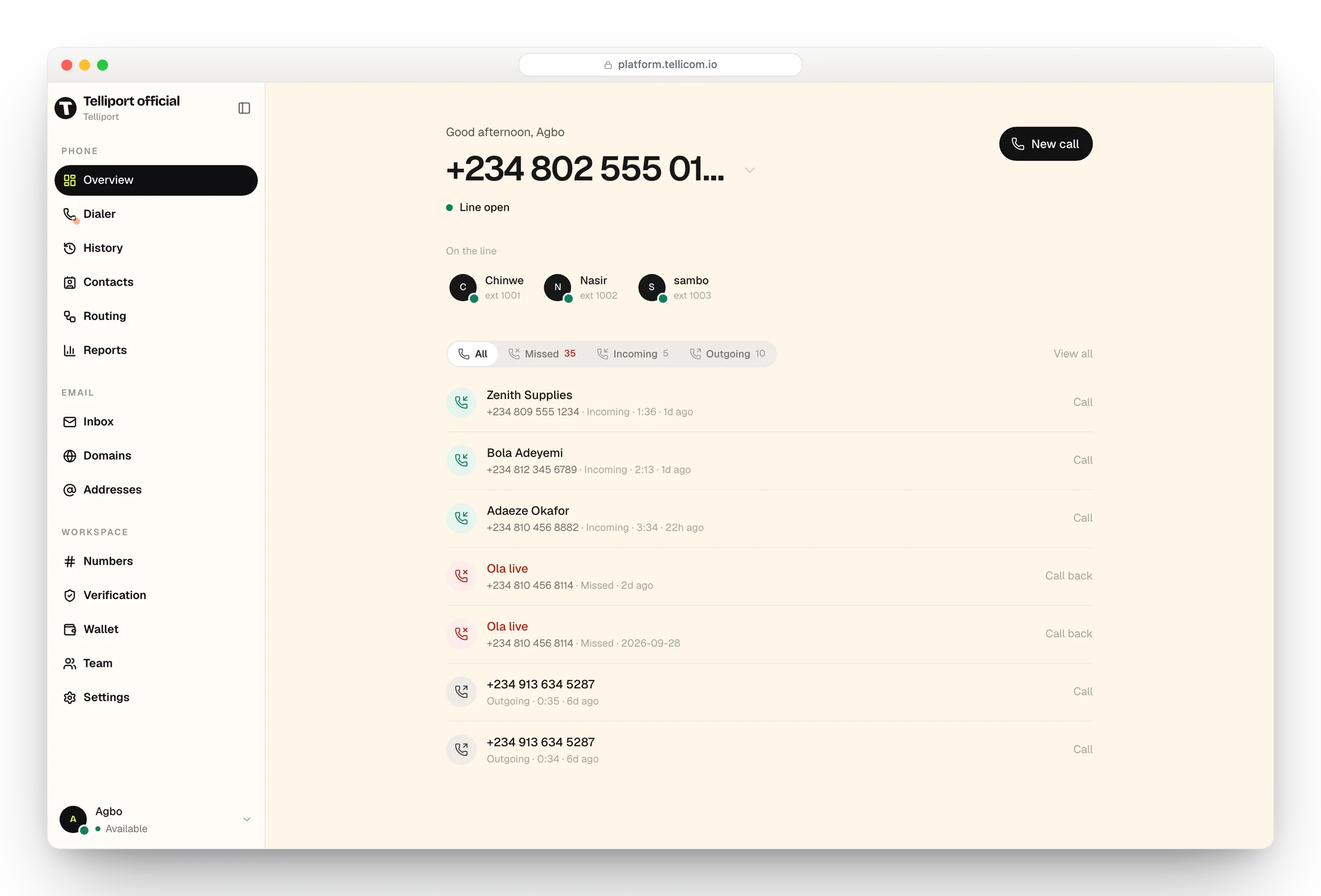
Everything a customer call touches, in one place
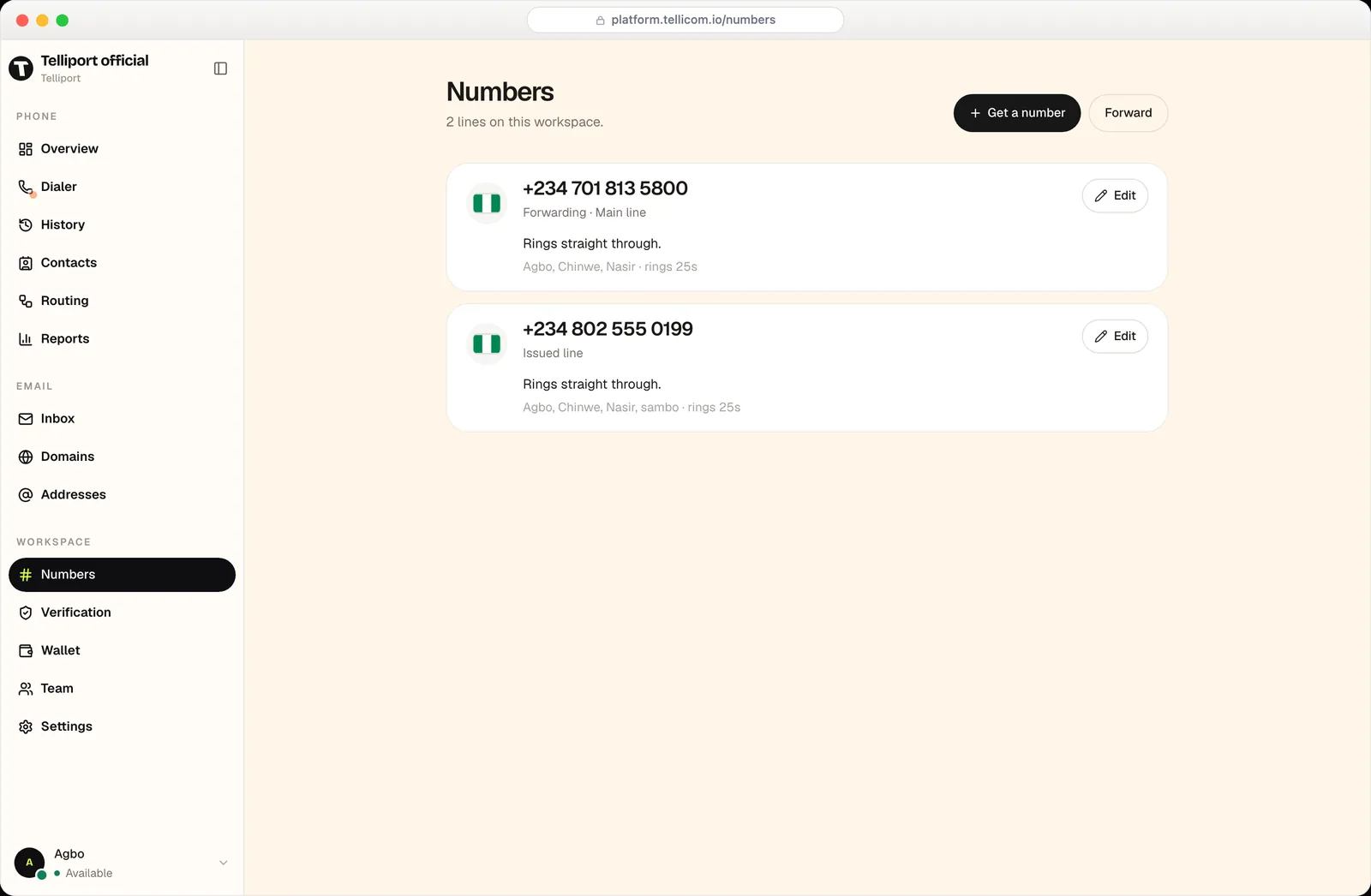
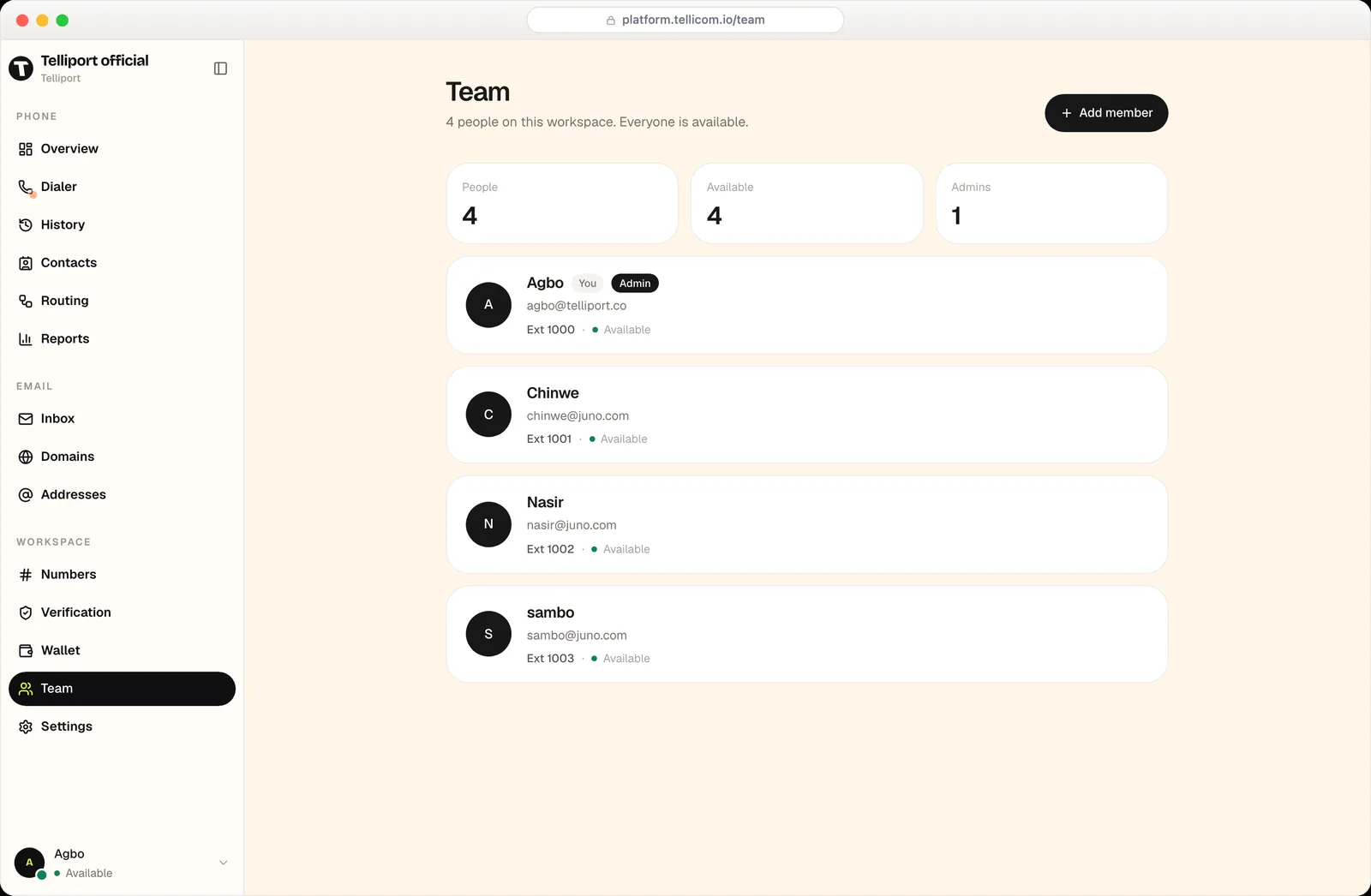
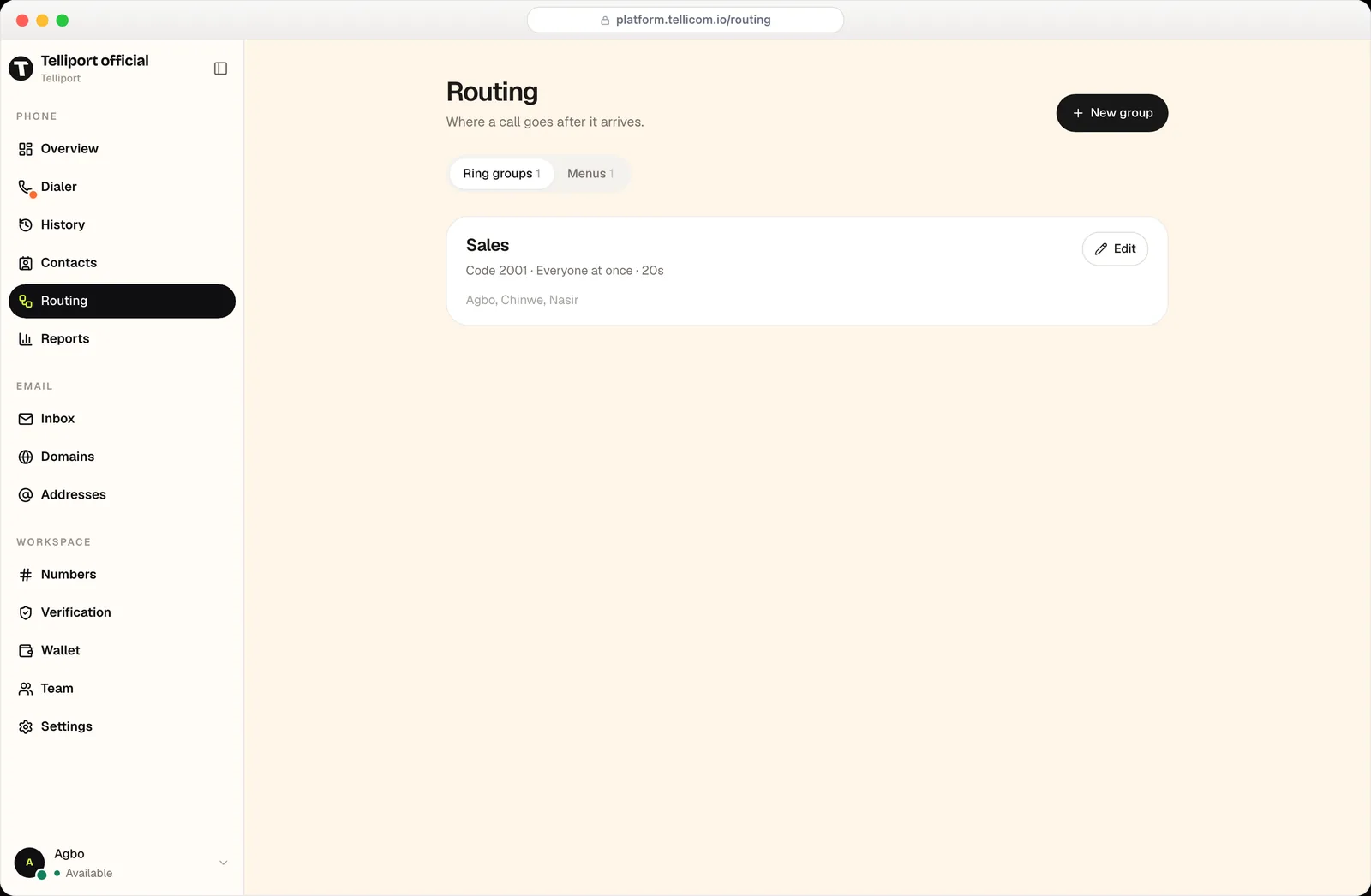
Know what was said, even on the call you missed
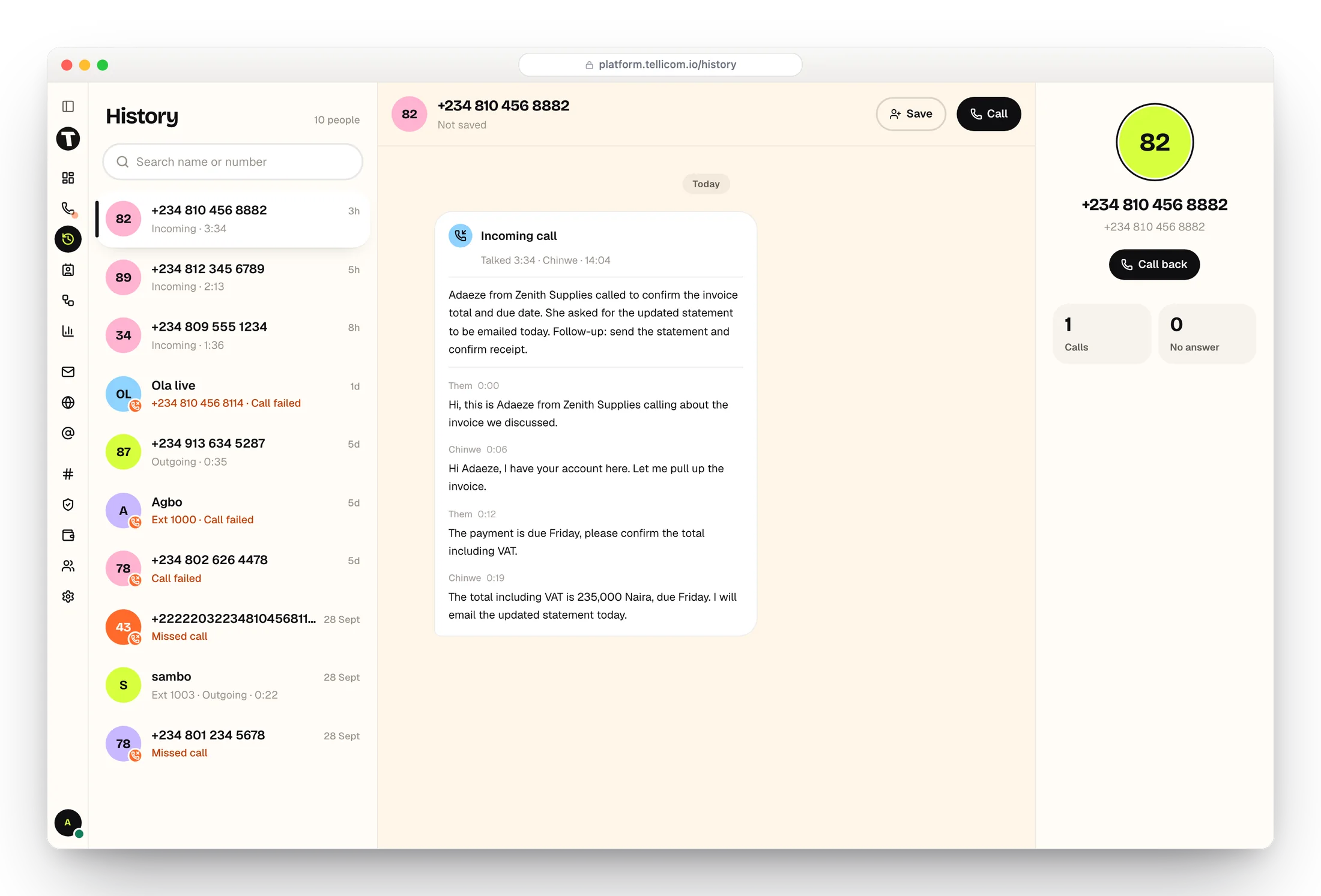
Every call is recorded, transcribed and summarised against the customer who made it. Pick up a conversation your colleague had last week without ringing anyone to ask.
A summary first
What the call was about and what was promised, in a few lines, before you read a word of the transcript.
Then the whole transcript
Timestamped and labelled by speaker, so you can see exactly who said what.
Kept per customer
Calls, voicemail and email for one number sit in a single timeline with their totals.
Email that belongs to the business, not to one person's phone
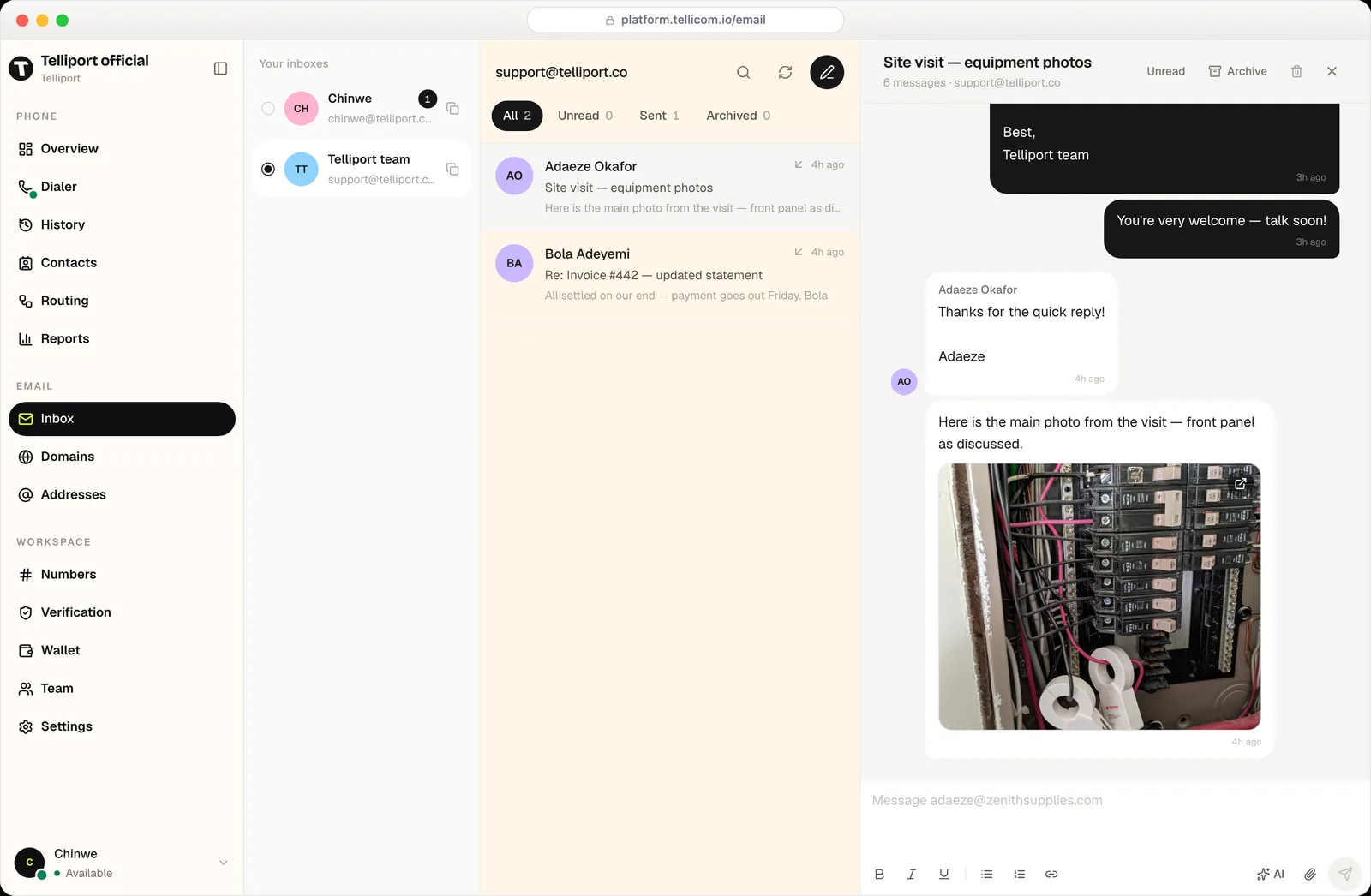
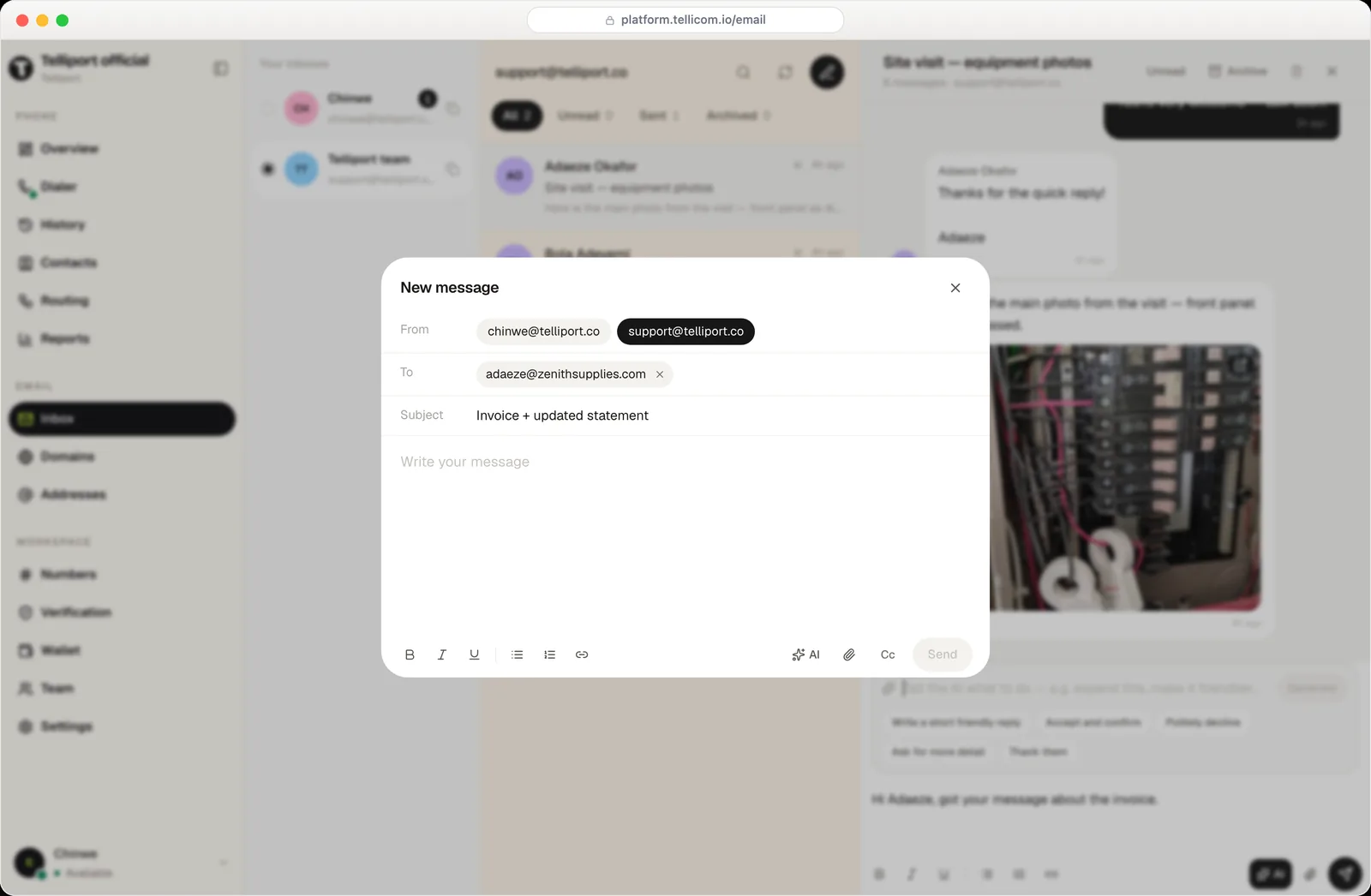
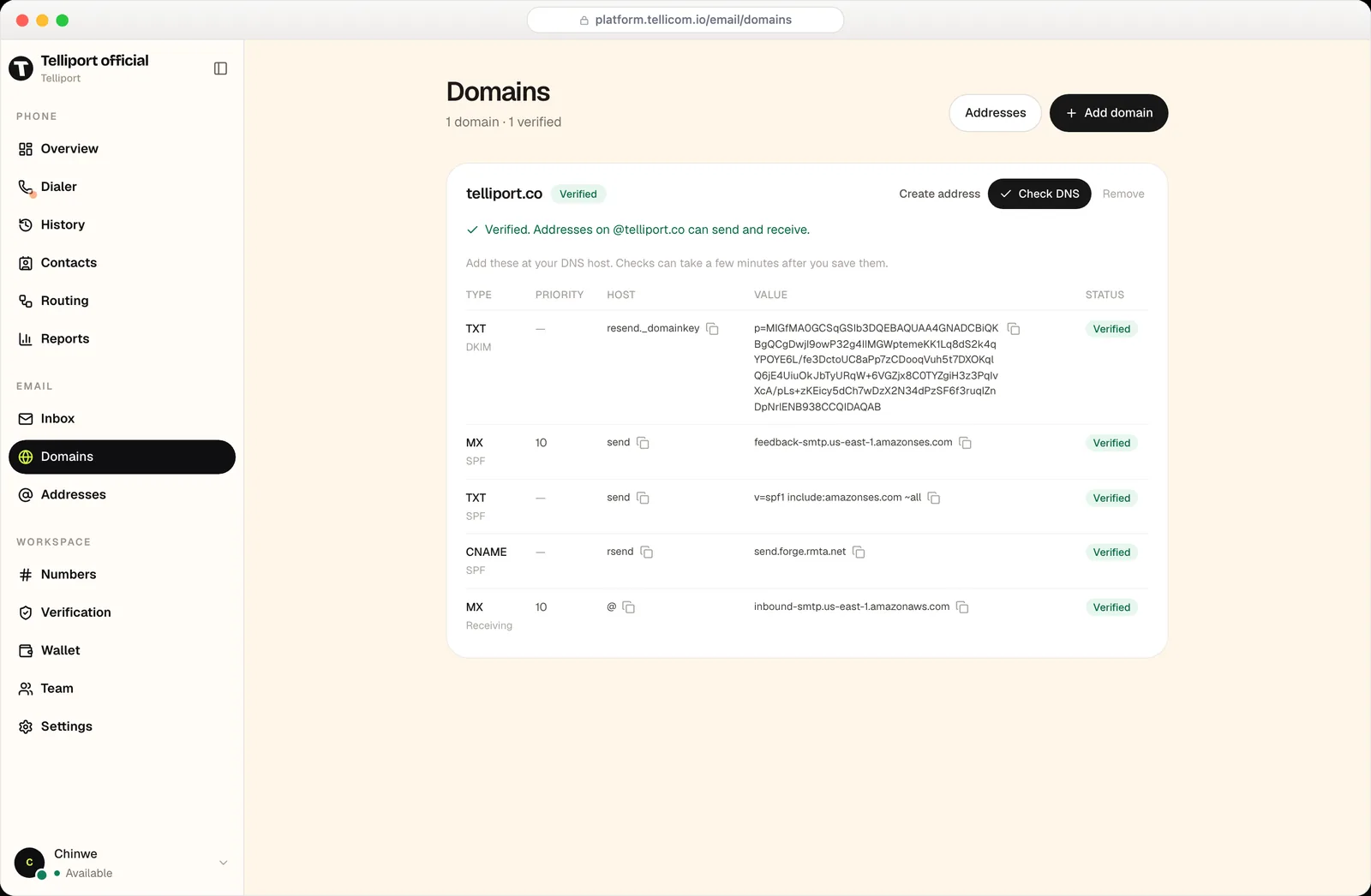
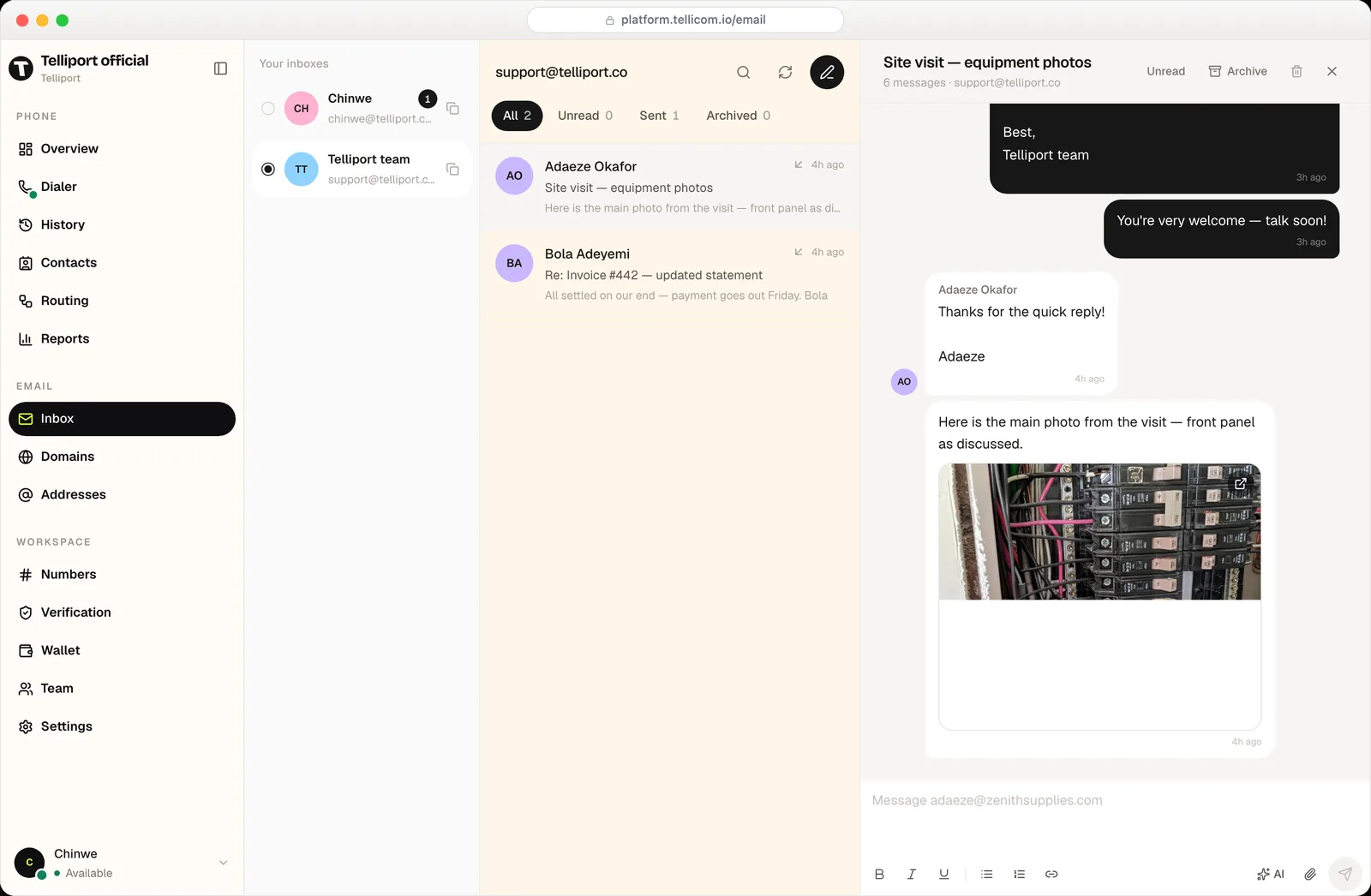
Add your domain, publish the DNS records we give you, and send and receive as support@, sales@ or anything else you need. Everyone works the same thread — no forwarding, no screenshots in WhatsApp.
- Shared and personal inboxes side by side
- Send as any verified address on your domain
- Attachments and photos from the field
- AI drafting, rewriting and thread summaries
Move over without going dark
Keep advertising the number your customers already know.
Forward what you have
Point your current number at Tellicom and it rings your team the same day. Port it properly whenever you're ready.
Guided domain setup
We hand you the exact DNS records and check them for you until every one goes green.
Nothing to roll out
It runs in the browser. No handsets to buy, no SIMs to post, no app for your customers.
Built for the way your team actually works
Everything in the workspace
Phone
- Business numbers
- Nigerian and US lines, or forward the number you already advertise.
- Browser dialer
- Call any Nigerian mobile or landline straight from your browser.
- Ring groups
- Ring everyone at once, or in order, with a timeout you choose.
- Press-a-key menus
- Send callers to sales, support or accounts before anyone picks up.
- Voicemail
- Read it as text with a summary, or play it back.
- Recordings & history
- Every call kept, searchable, with the transcript attached.
- Your own domain
- DKIM, SPF and receiving records, checked for you until they verify.
- Shared inboxes
- support@ or sales@ that the whole team opens, not one person.
- Personal inboxes
- Each teammate also gets their own address on the domain.
- AI assistant
- Draft a reply, expand it, shorten it, or summarise a long thread.
- Attachments
- Send and receive photos and documents, viewable in the thread.
- Addresses
- Add and retire addresses as people join and leave.
Workspace
- Team & extensions
- Give everyone an extension and see who's available before you transfer.
- Contacts
- Calls, answered, missed and talk time for every customer you deal with.
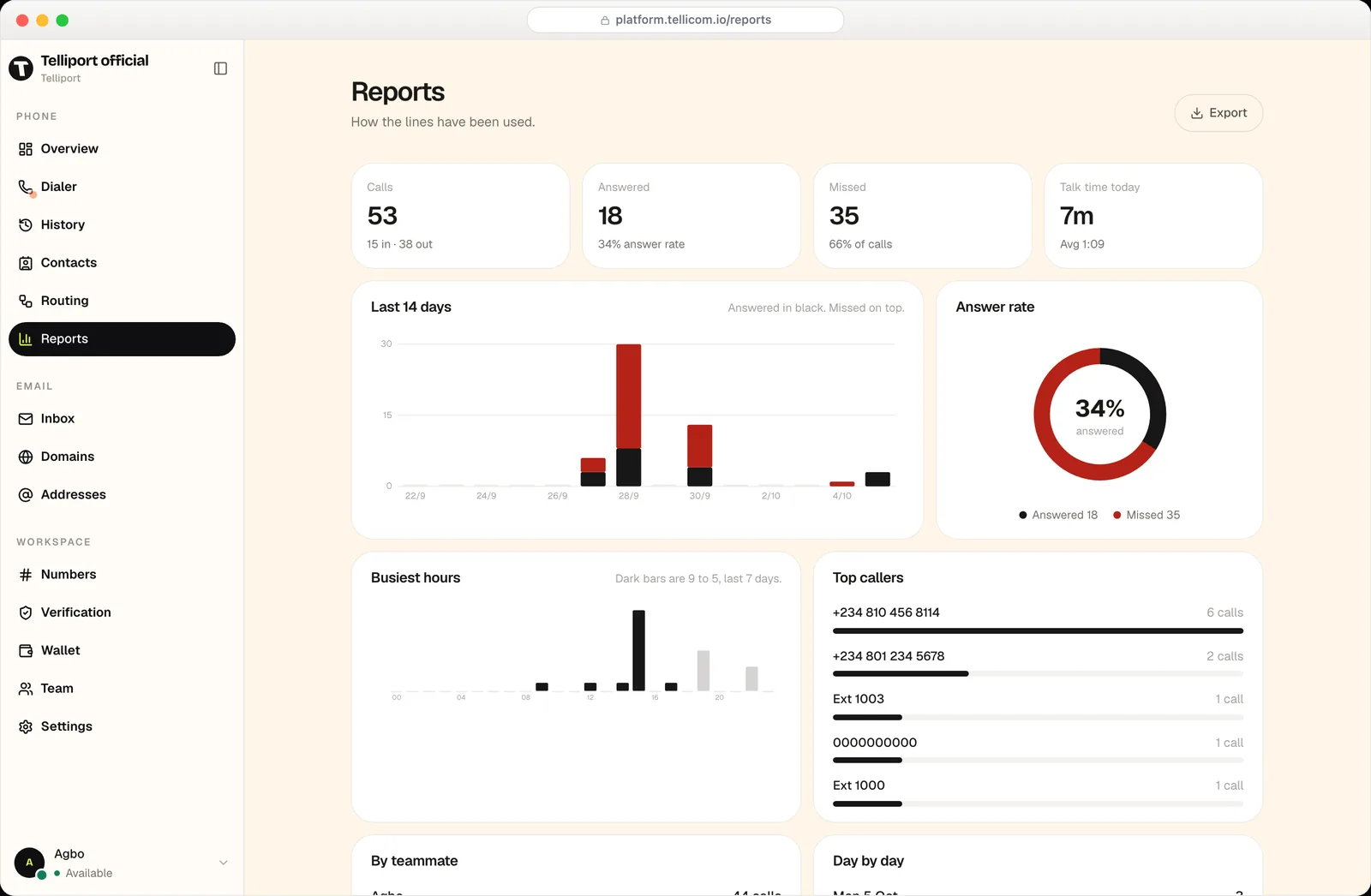
- Reports
- Answer rate, busiest hours, top callers and per-teammate volume. Exportable.
- Prepaid wallet
- Top up, see the per-minute rate, and every charge the workspace makes.
- Roles
- Admins manage numbers, billing and who can see what.
- Verification
- Get the workspace verified so your calls land properly.
Live in an afternoon
No engineer, no installer, no site visit. Four steps and your line is answering.
- 01
Claim your number
Pick a Nigerian or US line, or forward the number already on your signage and your cards.
- 02
Invite your team
Add teammates, hand out extensions, and choose who rings for which line.
- 03
Connect your domain
Publish a few DNS records and we'll keep checking until they verify.
- 04
Go live
Answer calls and email from one workspace, with every conversation kept.
Questions, answered
Anything else, write to hello@telliport.co.
Can I keep the number I already advertise?+
Yes. Forward it to your Tellicom line and it rings your team straight away, with the history and recordings kept here. Port it over properly whenever you're ready.
Do my customers need an app?+
No. They dial your number and email your address the way they always have. Only your team signs in, and there's nothing for them to install either.
What do I need to use the email side?+
A domain you control. You add it, we give you the DNS records, and you paste them at your DNS host — we check them until every one verifies.
How does billing work?+
The workspace runs on a prepaid wallet. You top it up, the per-minute rate is shown before you dial, and every charge is listed with an export.
Who can hear a recording?+
Only people you've invited to the workspace. Recordings, transcripts, voicemail, contacts and email stay inside it.
Can I see whether we're actually answering?+
That's what Reports is for — answer rate, missed calls, busiest hours, top callers and volume per teammate, for any period.